Your timetable and lessons
Last updated
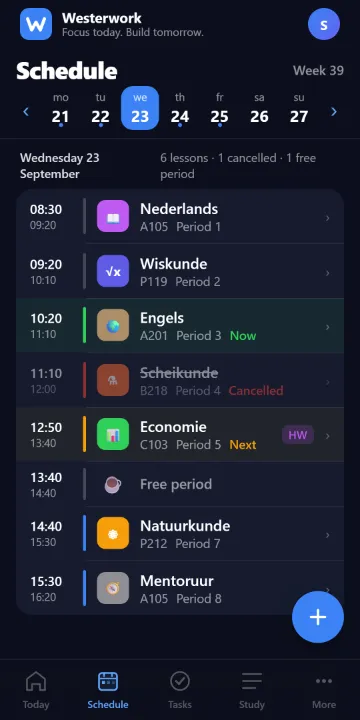
Under Schedule you see your lessons per day or week, with subject, time, room and teacher. Today shows what's still coming up today.
Tap a lesson for details, such as homework or a test linked to it.
You can change the display under More › Appearance.
Step by step
- Open Schedule from Westerwork’s navigation.
- Choose the day or week you want and use the date selector to move to another day.
- Open a lesson for its available details and check whether homework or a test is linked.