
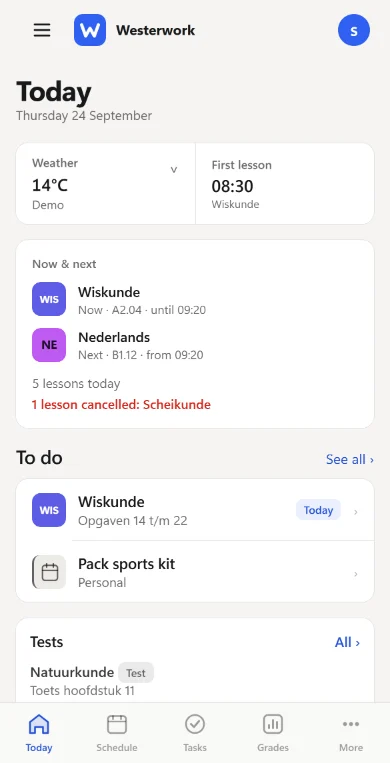
Today
Your dashboard: everything that matters today, the moment you open the app.
- The current and next lesson
- Homework and tasks still open
- Your upcoming tests
- Cancellations, first lesson and the weather
Westerwork is a free school planner. Your timetable, homework, tests and grades from Magister or Somtoday, together with your own tasks and plans.
Available now for iPhone and Android. Free basics, no ads.
Westerwork fetches your school information and puts your own planning next to it. This is what you can do.
Your dashboard: everything that matters today, the moment you open the app.
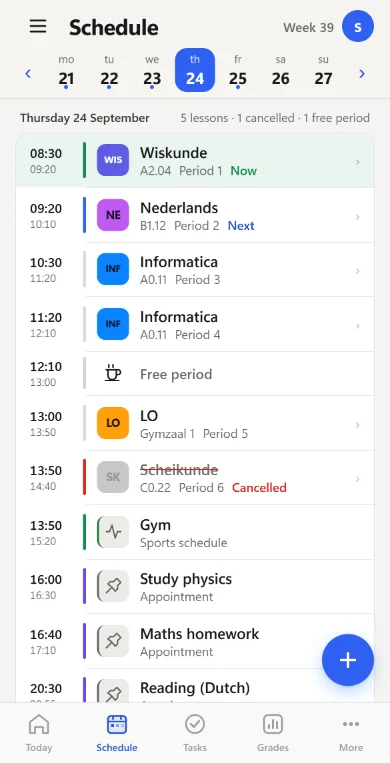
By day on your phone, by week on your computer.
Connect your school once. Westerwork keeps it up to date.
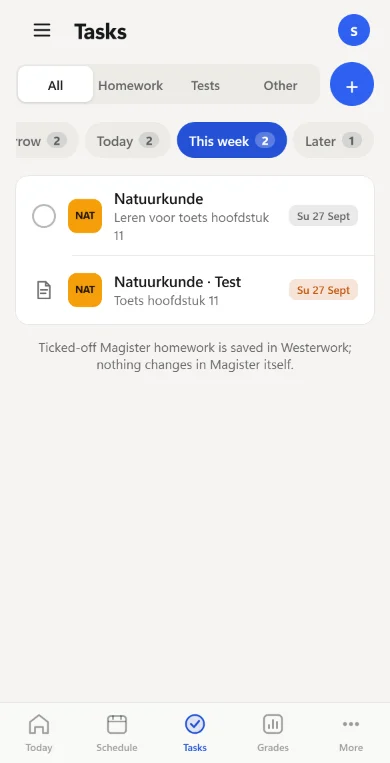
School homework and your own to-dos in one list.
See what is coming and prepare in time.
Know where you stand, per subject and across the year.
A heads-up when something changes. You choose which.
Small things that make your week easier.
Premium is optional. Everything without a label is part of the free basics. See what Premium adds
Your school app shows what school has planned. Westerwork puts it next to what you plan.
No copying timetables and no switching between Magister or Somtoday, your calendar and a separate to-do app. Westerwork fetches your lessons, homework, tests and grades and keeps them up to date, also when your timetable changes. Westerwork only reads: nothing changes in Magister, except a choice-hour sign-up you confirm yourself.
Westerwork is independent of Magister, Iddink and Somtoday. The data available depends on your school.
A test date is not a study session.
Add a study appointment to your calendar, alongside lessons and other plans. Add test material in Study and link topics to a test. Check off what you have done.
You decide when to start. Westerwork helps you track what remains.
How to use your planningYou want to raise your average. What would it take?
Westerwork calculates your weighted average per subject and shows how it develops. Choose your target average and the weight of your next grade: the calculator works out the grade that gets you there.
A calculation based on grades and weights, not an official progression or graduation decision. A saved grade target stays on your device.
Try the grade calculator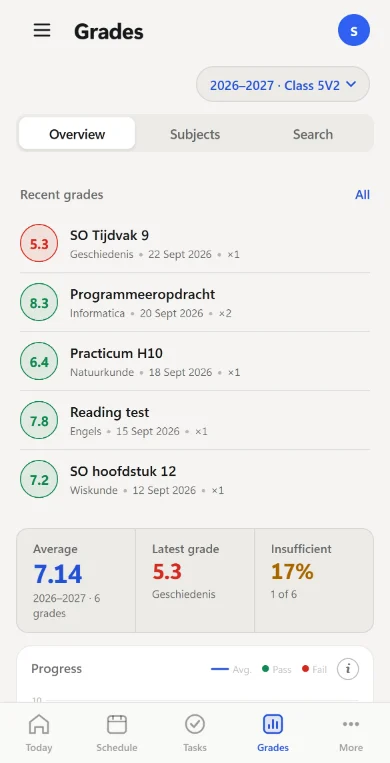
Practice, a shift at work, an appointment. Put them between your lessons, in your timetable and on Today. So you see at once when you actually have time for homework.
Add appointments with a time, location and note. See them alongside your lessons.
Repeat your own tasks daily or weekly, on the days you choose, with a reminder if you want one.
First lesson cancelled? You hear before you leave home.
With Premium you get a notification for a cancelled lesson, a new grade or a newly scheduled test. You choose which, set quiet hours and can mute subjects. Without Premium you still see everything in the app and can set reminders for your own tasks.
Example notifications as the app sends them. Push requires permission on your device.
Westerworknow
Lesson cancelled
Geography at 10:15 is cancelled.
Westerwork9 min ago
New grade
English · 7.8 · Quiz chapter 3
Westerwork07:02
New test scheduled
Biology · chapter 5 · Tuesday 28 October
Click around the real app, with the school week of a fictional student.
No account needed and nothing is saved. Reload to start over.
Question not listed? The help centre explains connecting, notifications and Premium step by step.
Visit the help centreContact usYes. Connect your school once in the app and Westerwork fetches your timetable, homework, tests and grades, including timetable changes. The data available depends on your school. Nothing changes in Magister, except a choice-hour sign-up you confirm yourself.
No. Westerwork is an independent app and is not affiliated with Magister, Iddink or Somtoday.
School information is the starting point. In Westerwork you add your own tasks, appointments and sport. See what needs attention today, track test material and calculate a grade target. One overview instead of three apps.
The school connection, timetable, homework, tests and grades. Your own tasks, appointments, sports schedule, Study and the grade calculator are also part of the free basics. Premium is optional and adds convenience and customisation.
No. You choose when to study and what to schedule. Westerwork brings tasks and appointments together and shows what remains open. Study tracks the topics you add and check off yourself.
With Premium you get push for cancelled lessons, new grades and new tests, and you can set your own notification rules. Without Premium you still see cancellations in your timetable and can set a reminder for your own task. Push requires permission on your device.
Yes. Westerwork is in the App Store for iPhone and on Google Play for Android. You use the same account on both.
Yes, with an existing account. On a computer you see your timetable by week. Create a new account in the Android app.
You choose which connections to use. The privacy policy explains which data Westerwork processes and why. There are no ads and we do not sell data. You can delete your account in the app or through the account deletion page.
Download Westerwork for iPhone or Android and connect your school. The demo works on any device, without an account.