Connect Magister on Android
Last updated
1. Open the Westerwork app and sign in to your Westerwork account.
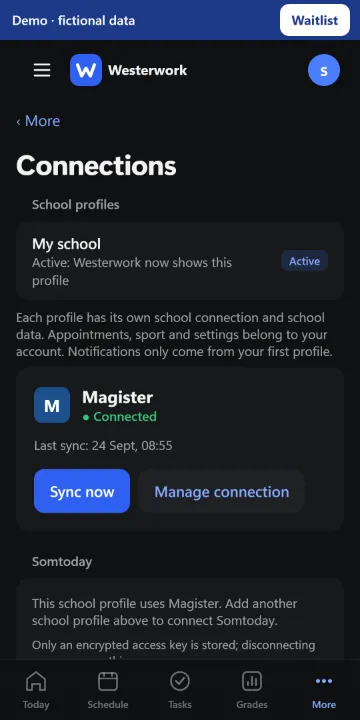
2. Open More › Connections and choose “Connect Magister”.
3. Sign in on the Magister page that opens and complete any verification.
4. Return to Westerwork. Check the connection status and allow time for the first sync.
If it still says “Not connected”, try again through Connections and check that your app is up to date.